If I Already Have a FastAPI Server, Why Do I Need an MCP Server?
Why MCP matters when your FastAPI API already works: a practical guide to agent-facing tools, governance, and safer SaaS automation.

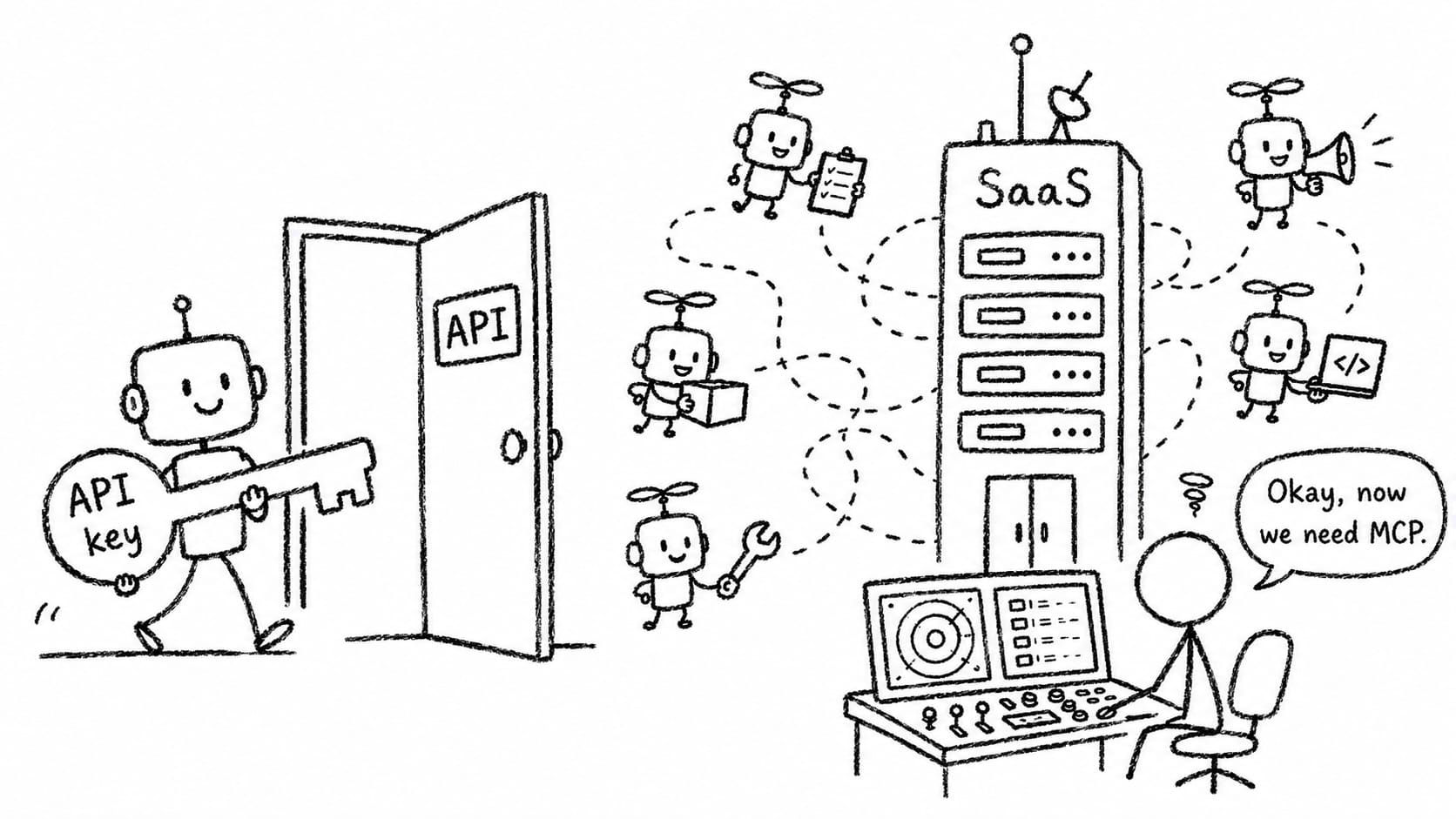
My first reaction to MCP was skepticism.
If I already have a FastAPI-based SaaS application, why do I need a separate MCP server?
Most serious SaaS applications already have the basics:
- REST APIs
- OpenAPI schemas
- authentication
- authorization
- service accounts
- audit logs
- rate limits
- database transactions
- background jobs
So when people say, “You need to expose your SaaS through MCP so AI agents can use it,” the natural engineering response is:
> Why not just give the agent a service account and let it call the existing API?
That is not a naive question. It is the right starting point.
I wrote this as a practical record of my own learning process—using AI as a research and brainstorming partner, then filtering the conclusions through my own experience building SaaS systems.
In fact, for many SaaS products today, that may be enough.
If your product has one user, one account, and one AI assistant acting on behalf of that user, then a service account with limited API permissions is a perfectly reasonable first architecture.
The mistake is treating MCP as if it solves the same problem as API authentication.
It does not.
A service account answers this question:
> Is this caller allowed to access this API?
MCP starts becoming useful when the question changes to:
> How should an AI agent discover, understand, invoke, and be governed while using this system?
Those are related, but they are not the same problem.
The API Server View of the World
Traditional SaaS APIs are designed for deterministic clients.
A frontend calls an endpoint because a human clicked a button.
An internal service calls an endpoint because another system event happened.
A scheduled job calls an endpoint because a cron rule fired.
In those cases, the API client usually knows exactly what endpoint it wants to call.
The API server does not need to explain itself to the client. It simply enforces permissions, validates inputs, runs business logic, and returns a response.
This model works well for software calling software.
But AI agents are different.
An agent does not merely call a known endpoint. It reads a user’s intent, reasons about possible actions, chooses a tool, supplies arguments, observes the result, and often continues acting.
That means the interface exposed to an agent should not simply be a raw copy of your internal API.
It needs to be understandable by a model.
That is where MCP becomes interesting.
MCP defines a standard way for servers to expose tools that language models can discover and invoke. In the MCP specification, each tool has a unique name and metadata describing its schema, and tools are “model-controlled,” meaning the model may discover and invoke them based on context and user intent. (modelcontextprotocol.io)
That is already a different mental model from a normal REST API.
A REST API is a programmable interface for software.
An MCP server is an agent-facing interface for model-mediated action.
The First Answer: No, You Probably Do Not Need Full MCP Governance on Day One
Let’s be honest.
If your current use case is:
one human user
one SaaS account
one AI assistant
limited actions
low-risk workflow
then a normal service account may be enough.
For example, imagine a small SaaS app where an AI assistant can:
- fetch reports
- summarize customer activity
- create draft tasks
- update non-critical metadata
You can support this with:
Agent
  ↓
Service account
  ↓
FastAPI
  ↓
Existing business logic
In this setup, your main job is not “build MCP.”
Your main job is to design good agent permissions:
- use least-privilege API scopes
- separate human users from agent identities
- log agent actions separately
- avoid giving agents destructive permissions too early
- require human approval for irreversible operations
That is a clean and practical starting point.
For many existing SaaS startups, this is the right Stage 1.
Where the Service Account Model Starts to Break
The service account model starts to feel insufficient when the agent stops being a passive assistant and starts becoming an operator.
The difference is subtle but important.
A passive assistant helps the user think.
An operator changes the state of the business.
Once agents start operating your SaaS, you begin facing questions that ordinary API authentication does not fully answer.
For example:
- Should this agent be allowed to refund this customer?
- Should this agent be allowed to send this email now?
- Should this agent be allowed to modify records that another agent is using?
- Should this action require approval because it crosses a money threshold?
- Should this workflow be blocked because another agent already started a conflicting workflow?
- Can we later prove which agent made which decision, under which policy, using which tool arguments?
These are not just API questions.
They are governance questions.
Microsoft’s Agent Governance Toolkit README states this distinction clearly: OAuth scopes and IAM roles control which services an agent can reach, but not necessarily what it does once connected. It also highlights two other production questions: which agent performed the action, and whether you can prove what happened with policy and decision records. (github.com)
That is the point where the architecture changes.
You are no longer only exposing APIs.
You are designing a control surface for autonomous actors.
The Better Framing: MCP Is Not a Replacement for Your API Server
The wrong way to think about MCP is:
REST API is old.
MCP is new.
Therefore replace REST API with MCP.
That is not how most existing SaaS companies should approach it.
The better framing is:
FastAPI remains the system of record.
MCP becomes the agent-facing control interface.
Governance sits around high-risk tool use.
In other words, MCP should not replace your SaaS backend.
It should wrap selected capabilities in a form that is safer, narrower, and easier for agents to use.
The internal business logic should remain shared.
Your billing logic should not be duplicated.
Your permissions model should not be rewritten from scratch.
Your database transactions should not move into a toy agent demo.
Instead, the MCP layer should call the same service functions your FastAPI routes already call.
That is what makes the FastAPI + MCP path practical for real SaaS teams.
Why Not Just Convert Every API Endpoint to MCP?
This is the next trap.
Once you discover that frameworks like FastMCP can generate MCP tools from a FastAPI app, the temptation is to expose everything.
That is usually a mistake.
FastMCP’s FastAPI integration documentation says it can generate an MCP server from a FastAPI app and mount an MCP server into a FastAPI app. It also says that generating MCP servers from OpenAPI is a good way to bootstrap and prototype, but that LLMs generally perform better with well-designed and curated MCP servers than with auto-converted OpenAPI servers, especially when APIs have many endpoints and parameters. (gofastmcp.com)
That is an important point.
Your existing API was probably designed for engineers.
Your MCP tools should be designed for agents.
Those are not always the same thing.
A SaaS API might expose endpoints like:
POST /customers/{customer_id}/events
PATCH /accounts/{account_id}/settings
POST /exports
GET /analytics/query
POST /internal/recalculate
Those endpoints may make sense to your frontend or internal services.
But an agent needs higher-level, intention-revealing tools like:
get_customer_summary
find_customers_at_risk
create_draft_followup_task
generate_monthly_revenue_report
request_refund_approval
The agent-facing interface should be smaller than the full API.
It should be more semantic.
It should expose business actions, not implementation details.
An Evolutionary Architecture for SaaS Startups
I would think about adoption in stages.
Stage 0: Traditional SaaS
Humans use your web app.
Internal systems use your API.
No special agent infrastructure exists.
Stage 1: Agent as API Client
You create service accounts for agents.
Agents call existing FastAPI endpoints.
This is enough for low-risk, single-agent workflows.
Stage 2: MCP Compatibility Layer
You expose selected capabilities through MCP.
You may use FastMCP to bootstrap from FastAPI.
You run the API and MCP interface in the same process or same virtual machine.
This gives agents a standard tool interface without forcing you to rebuild the app.
Stage 3: Curated Agent Tools
You stop mirroring your API.
You design agent-native tools that call your existing service layer.
You separate read-only resources from state-changing tools.
You add stronger descriptions, schemas, examples, and constraints.
Stage 4: Governance Layer
You add explicit policy checks before high-risk tools execute.
You log every tool call.
You require approval for dangerous actions.
You add idempotency, locking, and conflict detection.
Stage 5: Multi-Agent Control Plane
Multiple agents act inside the same customer account.
You need central policy, runtime guardrails, cross-agent coordination, and auditability.
This is where tools such as Agent Control or Microsoft’s Agent Governance Toolkit become more relevant. Agent Control describes itself as a centralized runtime guardrail layer that can apply configurable controls across agents, while Microsoft’s toolkit emphasizes deterministic interception of tool calls before the model’s intent reaches the wire. (github.com) (github.com)
Most SaaS startups are not at Stage 5 today.
But many are approaching Stage 2.
That is why a gradual path matters.
A Practical Guide: Adding Your First MCP Capability to an Existing FastAPI App
Let’s assume you already have a FastAPI SaaS application.
Your goal is not to rebuild it.
Your goal is to expose a small, safe, agent-facing MCP surface while serving it from the same application instance.
Step 1: Do Not Start With Infrastructure
Start with the actions.
Pick three to five capabilities that are useful but not catastrophic if something goes wrong.
Good first MCP tools:
get_account_summary
list_recent_customers
generate_sales_report
create_draft_task
summarize_open_tickets
Riskier tools to delay:
delete_customer
send_email_to_all_users
issue_refund
change_billing_plan
export_all_data
modify_permissions
Your first MCP version should prove that agents can safely read, summarize, and draft.
Do not start with irreversible writes.
Step 2: Classify Your Existing API Surface
Before exposing anything to agents, classify your FastAPI routes.
A simple classification is enough:
Read-only:
  safe to expose early

Draft-only:
  creates drafts, not final actions

Low-risk write:
  reversible or low-impact updates

High-risk write:
  money, permissions, external communication, deletion

Internal:
  never expose directly
This exercise is more valuable than the framework choice.
It forces you to decide what an agent should actually be allowed to do.
Step 3: Prepare Your FastAPI App for Agent Use
If you plan to generate MCP tools from your FastAPI routes, clean up your route metadata first.
FastMCP’s FastAPI integration uses the FastAPI OpenAPI spec when generating MCP components, and the docs note that FastAPI operation IDs become MCP component names. Meaningful operation IDs matter. (gofastmcp.com)
Instead of this:
@app.get("/customers/{customer_id}")
async def get_customer(customer_id: str):
    ...
Prefer this:
@app.get(
    "/customers/{customer_id}",
    operation_id="get_customer_profile",
    summary="Get a customer profile",
)
async def get_customer_profile(customer_id: str):
    ...
For agent-facing APIs, naming is not cosmetic.
A vague function name makes the model more likely to choose the wrong tool.
A precise function name becomes part of your safety system.
Step 4: Bootstrap MCP From FastAPI Using FastMCP
FastMCP provides two relevant integration paths for FastAPI:
- generate an MCP server from a FastAPI app
- mount an MCP server into a FastAPI app
That is exactly the migration path an existing SaaS app needs. (gofastmcp.com)
A simplified example looks like this:
# app/main.py

from fastapi import FastAPI
from fastmcp import FastMCP

app = FastAPI(title="Acme SaaS API")


@app.get(
    "/customers/{customer_id}",
    operation_id="get_customer_profile",
)
async def get_customer_profile(customer_id: str):
    return {
        "customer_id": customer_id,
        "name": "Example Customer",
        "status": "active",
    }


@app.get(
    "/reports/monthly-revenue",
    operation_id="generate_monthly_revenue_report",
)
async def generate_monthly_revenue_report(account_id: str, month: str):
    return {
        "account_id": account_id,
        "month": month,
        "revenue": 12345,
    }


# Generate an MCP server from the FastAPI app.
mcp = FastMCP.from_fastapi(
    app=app,
    name="Acme SaaS MCP",
)

# Create an ASGI app for MCP.
mcp_app = mcp.http_app(path="/")

# Mount MCP under /mcp.
# In a real app, pay attention to lifespan handling.
app.mount("/mcp", mcp_app)
Then you can serve the same instance:
uvicorn app.main:app --host 0.0.0.0 --port 8000
Conceptually, you now have:
REST API:
  http://your-service/customers/{customer_id}
  http://your-service/reports/monthly-revenue

MCP endpoint:
  http://your-service/mcp
FastAPI supports mounted sub-applications, and its documentation explains that mounted apps can live under their own path prefix while FastAPI handles the ASGI root_path details. (fastapi.tiangolo.com)
For an MVP, this is attractive because you do not need another VM, another deployment pipeline, or another database connection.
You add MCP as an interface layer beside your existing API.
Step 5: Be Careful With Lifespan, CORS, and Routing
The simple example above shows the idea, but production apps need more care.
FastMCP’s docs specifically call out lifespan management when mounting MCP servers: when mounting, you should pass the MCP app’s lifespan so the session manager initializes correctly. They also warn that if your app already has its own lifespan for database connections or startup tasks, you need to combine lifespans rather than accidentally replacing one with the other. (gofastmcp.com)
A more production-minded structure is:
from fastapi import FastAPI
from fastmcp import FastMCP
from fastmcp.utilities.lifespan import combine_lifespans

from myapp.api import api_router
from myapp.lifecycle import app_lifespan

app = FastAPI(
    title="Acme SaaS API",
    lifespan=app_lifespan,
)

app.include_router(api_router)

mcp = FastMCP.from_fastapi(
    app=app,
    name="Acme SaaS MCP",
)

mcp_app = mcp.http_app(path="/")

# If your app and MCP server both have lifespan handlers,
# combine them explicitly in your actual application setup.
# This sketch shows the architectural intent.
app.mount("/mcp", mcp_app)
Also be careful with global middleware.
FastMCP’s docs warn that app-wide CORS middleware can conflict with OAuth-protected MCP routes and recommend using sub-app patterns when different middleware policies are needed. (gofastmcp.com)
The practical rule is:
> Treat /mcp as a separate agent-facing surface, even if it runs in the same Python process.
Same process does not mean same policy.
Step 6: Move From Auto-Generated Tools to Curated Tools
Auto-generation is useful for discovery.
It is not the final architecture.
After the first experiment, create curated tools manually.
Instead of exposing every REST endpoint, write tools around service-layer functions.
For example:
from fastmcp import FastMCP
from myapp.services.customers import CustomerService
from myapp.services.reports import ReportService

mcp = FastMCP("Acme Agent Tools")


@mcp.tool
async def get_customer_summary(customer_id: str) -> dict:
    """
    Return a concise business summary of a customer.

    Use this when the user asks about a customer's status,
    recent activity, risk level, or account health.
    """
    customer = await CustomerService.get_customer(customer_id)
    activity = await CustomerService.get_recent_activity(customer_id)

    return {
        "customer_id": customer.id,
        "name": customer.name,
        "status": customer.status,
        "recent_activity": activity[:10],
    }


@mcp.tool
async def generate_monthly_revenue_summary(account_id: str, month: str) -> dict:
    """
    Generate a monthly revenue summary for an account.

    This is read-only. It does not modify billing records.
    """
    return await ReportService.monthly_revenue_summary(
        account_id=account_id,
        month=month,
    )
This is much better than exposing a raw analytics query endpoint.
The tool name tells the model what the action means.
The docstring tells the model when to use it.
The implementation still reuses your existing business logic.
That is the right separation.
Step 7: Add Agent Identity
This is where the service account idea remains important.
MCP does not eliminate service accounts.
You still need identity.
At minimum, every MCP call should resolve to something like:
{
    "actor_type": "agent",
    "agent_id": "support_summary_agent",
    "account_id": "acct_123",
    "user_id": "user_456",
    "scopes": [
        "customers:read",
        "reports:read",
        "tasks:draft"
    ]
}
Do not let all agents share one generic API key.
If something goes wrong, “the AI did it” is not an incident report.
You need to know:
- which agent acted
- on behalf of which user
- inside which customer account
- using which tool
- with which arguments
- under which policy version
That identity object becomes the input to governance.
Step 8: Add a Small Policy Layer Before Tool Execution
This is the first real MCP governance step.
You do not need a grand enterprise control plane to start.
Begin with a simple policy function.
from dataclasses import dataclass
from enum import Enum


class Decision(str, Enum):
    ALLOW = "allow"
    DENY = "deny"
    REQUIRE_APPROVAL = "require_approval"


@dataclass
class AgentIdentity:
    agent_id: str
    account_id: str
    user_id: str
    scopes: list[str]


@dataclass
class PolicyResult:
    decision: Decision
    reason: str
    policy_version: str


async def evaluate_policy(
    actor: AgentIdentity,
    tool_name: str,
    arguments: dict,
) -> PolicyResult:
    if tool_name == "delete_customer":
        return PolicyResult(
            decision=Decision.DENY,
            reason="Agents cannot delete customers.",
            policy_version="2026-07-01",
        )

    if tool_name == "issue_refund":
        amount = arguments.get("amount", 0)

        if "billing:refund" not in actor.scopes:
            return PolicyResult(
                decision=Decision.DENY,
                reason="Agent lacks billing:refund scope.",
                policy_version="2026-07-01",
            )

        if amount > 100:
            return PolicyResult(
                decision=Decision.REQUIRE_APPROVAL,
                reason="Refunds above $100 require human approval.",
                policy_version="2026-07-01",
            )

    return PolicyResult(
        decision=Decision.ALLOW,
        reason="Allowed by default policy.",
        policy_version="2026-07-01",
    )
Then wrap your MCP tools:
async def run_governed_tool(
    actor: AgentIdentity,
    tool_name: str,
    arguments: dict,
    fn,
):
    policy = await evaluate_policy(
        actor=actor,
        tool_name=tool_name,
        arguments=arguments,
    )

    await write_audit_log(
        actor=actor,
        tool_name=tool_name,
        arguments=arguments,
        decision=policy.decision,
        reason=policy.reason,
        policy_version=policy.policy_version,
    )

    if policy.decision == Decision.DENY:
        raise PermissionError(policy.reason)

    if policy.decision == Decision.REQUIRE_APPROVAL:
        approval_id = await create_approval_request(
            actor=actor,
            tool_name=tool_name,
            arguments=arguments,
            reason=policy.reason,
        )
        return {
            "status": "approval_required",
            "approval_id": approval_id,
            "reason": policy.reason,
        }

    return await fn(**arguments)
This is not glamorous.
But it is the foundation.
Governance starts as boring deterministic code.
That is a feature, not a bug.
Step 9: Add Audit Logs as a First-Class Table
Do not rely only on application logs.
Create a database table for agent actions.
A useful minimum schema:
agent_action_log
----------------
id
timestamp
account_id
user_id
agent_id
tool_name
tool_arguments_json
decision
decision_reason
policy_version
result_status
result_summary
correlation_id
idempotency_key
This gives you operational memory.
When a customer asks, “Why did the agent do this?” you can answer.
When you change a policy, you can compare behavior before and after.
When an agent makes a bad call, you can debug the system instead of arguing with the prompt.
Step 10: Add Idempotency and Conflict Control
This is where MCP governance becomes more than access control.
Imagine two agents act on the same customer.
One creates a refund.
Another escalates the account to collections.
Both actions may be individually valid.
Together, they may be wrong.
You do not need a superintelligent traffic controller at first.
Start with normal distributed-systems patterns:
Idempotency keys
Every write tool should accept an idempotency key.
@mcp.tool
async def create_draft_task(
    customer_id: str,
    title: str,
    idempotency_key: str,
) -> dict:
    ...
This prevents repeated tool calls from creating duplicate state.
Optimistic concurrency
Require version numbers for updates.
@mcp.tool
async def update_customer_status(
    customer_id: str,
    new_status: str,
    expected_version: int,
) -> dict:
    ...
If the record changed after the agent read it, reject the update and force the agent to re-read.
Account-level locks
For sensitive workflows, allow only one active workflow per account or resource.
Only one billing adjustment workflow can be active per customer.
Only one contract renewal workflow can be active per account.
Only one data export workflow can run per organization at a time.
This is not AI magic.
It is good backend engineering applied to agent behavior.
Step 11: Separate Read, Draft, Commit
For agentic SaaS, one of the safest patterns is:
read
  ↓
draft
  ↓
human approval
  ↓
commit
For example, do not start with:
send_customer_email
Start with:
draft_customer_email
Then later:
request_email_approval
Then only after trust improves:
send_approved_customer_email
This gives you MCP capability without immediately giving the model direct control over external consequences.
The same pattern works for:
- refunds
- invoices
- CRM updates
- account status changes
- data exports
- permission changes
Agents are good at preparing actions.
Humans should remain in the loop for irreversible actions until the system has earned more trust.
Step 12: Add Security Controls Specific to MCP
MCP introduces some risks that normal API teams may not be thinking about yet.
The official MCP security best-practices document discusses issues such as confused-deputy problems, session hijacking, OAuth redirect validation, scope minimization, and SSRF-style risks around private IP ranges and redirects. (modelcontextprotocol.io)
For a SaaS engineering team, the practical checklist is:
Do not expose internal admin tools through MCP.

Do not expose broad query tools without row-level authorization.

Do not let an agent choose arbitrary URLs to fetch unless egress is controlled.

Do not reuse one global token for all agents.

Do not allow destructive tools without policy checks.

Do not rely on prompt instructions as your only safety mechanism.

Do log every state-changing tool call.

Do require approval for high-risk operations.

Do keep the MCP surface smaller than the API surface.
Again, MCP is not magic.
It gives you a protocol.
You still have to design the safety system.
Step 13: Know When to Bring In a Real Agent Control Plane
At some point, your hand-rolled policy layer may become too scattered.
Signs you are reaching that point:
- multiple agents exist across the same customer account
- multiple engineering teams are building tools
- policies are duplicated across codebases
- customers ask for agent audit reports
- compliance teams ask who approved what
- you need runtime policy changes without redeploying
- you need organization-level agent permissions
- you need central dashboards for blocked and approved actions
This is when a control-plane product or open-source framework becomes interesting.
Agent Control’s project describes centralized safety, runtime configuration, pluggable evaluators, and framework support across agent frameworks. (github.com)
Microsoft’s Agent Governance Toolkit takes a similar architectural view: intercept tool calls in deterministic application code before actions reach the wire, so denied actions become structurally impossible rather than merely discouraged by prompts. (github.com)
That is the mature version of the pattern.
But you do not have to start there.
You can start with:
FastAPI
  +
FastMCP
  +
agent identity
  +
policy function
  +
audit table
  +
approval workflow
That is already a meaningful first MCP governance layer.
The Same-Instance Deployment Pattern
For an existing SaaS startup, the most practical initial deployment is:
Single VM or container
  └── Uvicorn / ASGI app
        ├── /api     traditional REST API
        └── /mcp     agent-facing MCP endpoint
This has several advantages:
- one deployment pipeline
- one codebase
- shared database access
- shared service layer
- shared authentication code
- simple rollback
- easy local development
Later, you can split the MCP server into a separate service:
/api service
/mcp service
policy service
audit pipeline
approval service
But that is a scaling step, not a starting requirement.
A good architecture should let you begin small without trapping you there.
My Current Answer to the Original Question
So, do you need MCP if you already have a FastAPI API server?
My answer is:
> Not immediately, if all you need is one low-risk agent calling a few existing APIs through a service account.
But that answer changes as soon as agents become real operators.
The value of MCP is not that it replaces your API.
The value of MCP is that it gives you a standard agent-facing surface where tools can be discovered, described, invoked, logged, constrained, and eventually governed.
For an existing SaaS company, the right path is not:
Throw away FastAPI and rebuild everything around MCP.
The right path is:
Keep FastAPI as the core application.
Expose a small MCP surface.
Curate tools carefully.
Add policy checks.
Add audit logs.
Add approval workflows.
Only later add full multi-agent governance.
This is the evolutionary path.
And I think it is the only realistic one for most SaaS startups.
MCP is not necessary because agents need API access.
We already know how to give software API access.
MCP becomes necessary when API access turns into agent behavior, and agent behavior turns into business risk.
That is the real transition.
Not API to MCP.
Software client to autonomous operator.